
Download Active Document Keeper – document management, file organization, backup, compression, digital archive, reference linking
Overview
Active Document Keeper is a productivity-focused software designed to serve as a central digital archive for managing documents across multiple storage locations. The application enables users to consolidate files from local drives, servers, and databases such as MySQL into a single, unified interface. This centralized approach helps mitigate the challenges of fragmented document storage, which often leads to lost files, redundant efforts, and inefficient workflows. By offering a structured system for organizing, accessing, and preserving documents, Active Document Keeper addresses common pain points in personal and professional environments where document integrity and accessibility are critical.
The software is particularly suited for professionals, administrators, and individuals managing large volumes of documents—such as legal, financial, or academic records. Its ability to link a single document to multiple folders enhances cross-referencing, streamlining workflows that require frequent access to the same file from different contexts. While the developer, Active Document Keeper, did not provide additional background details, the application’s long-standing presence since its release on August 2, 2014, suggests a stable and enduring tool within the productivity ecosystem. Real-world use cases include managing client files in legal offices, maintaining project documentation in engineering teams, and organizing personal records for estate planning.
Given its focus on document integrity, reference linking, and data preservation, Active Document Keeper occupies a niche role in the broader category of digital productivity tools. It fills a gap for users who need more than basic file storage, offering a structured, reliable system for long-term document management.
Key Features & Functionality
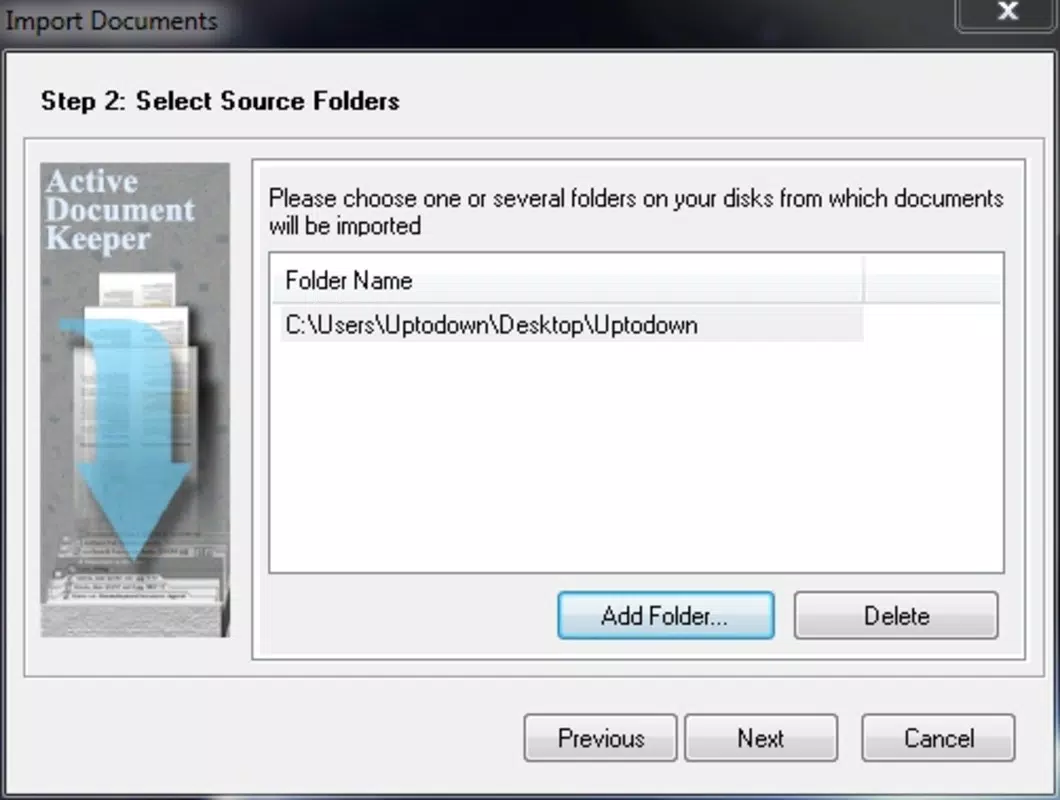
- Comprehensive Document Storage: The application supports storing documents regardless of their original location, allowing users to integrate files from local drives, network servers, and databases like MySQL into a single digital repository. This eliminates the need to navigate multiple platforms to access essential records.
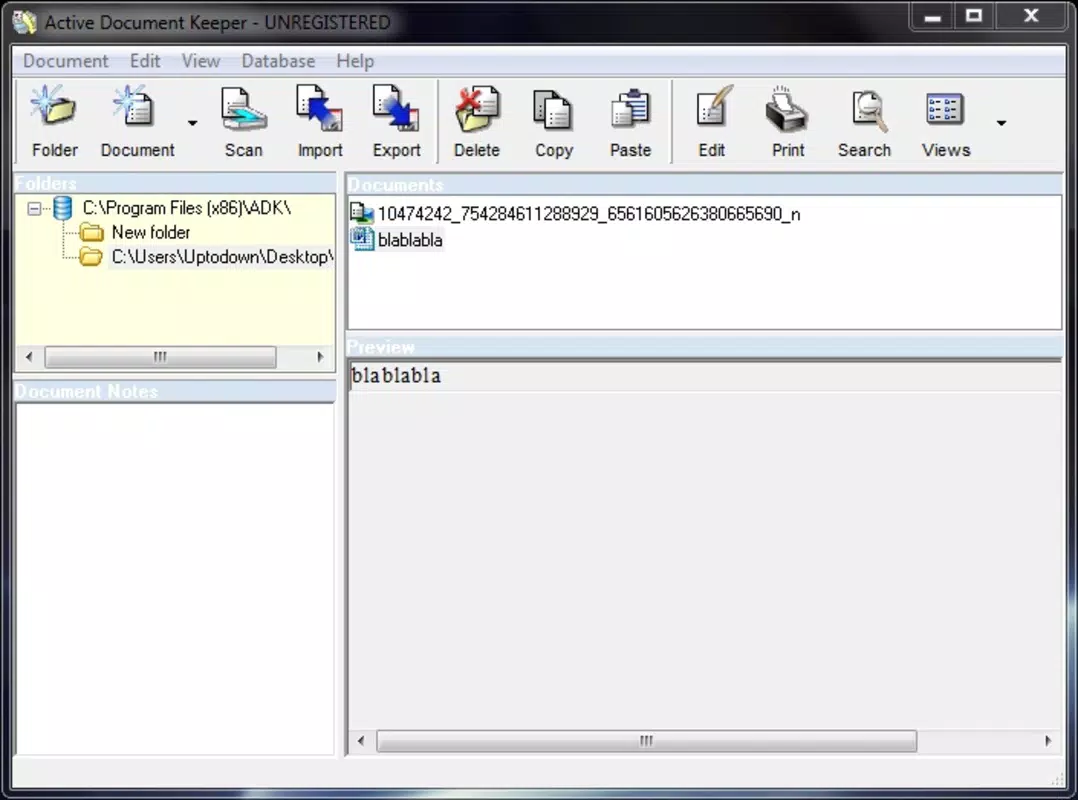
- Advanced File Organization: Users can create custom directory chains and assign multiple references to a single document. This enables flexible navigation, where one file can appear in several folders based on relevance or project context, improving accessibility and reducing duplication.
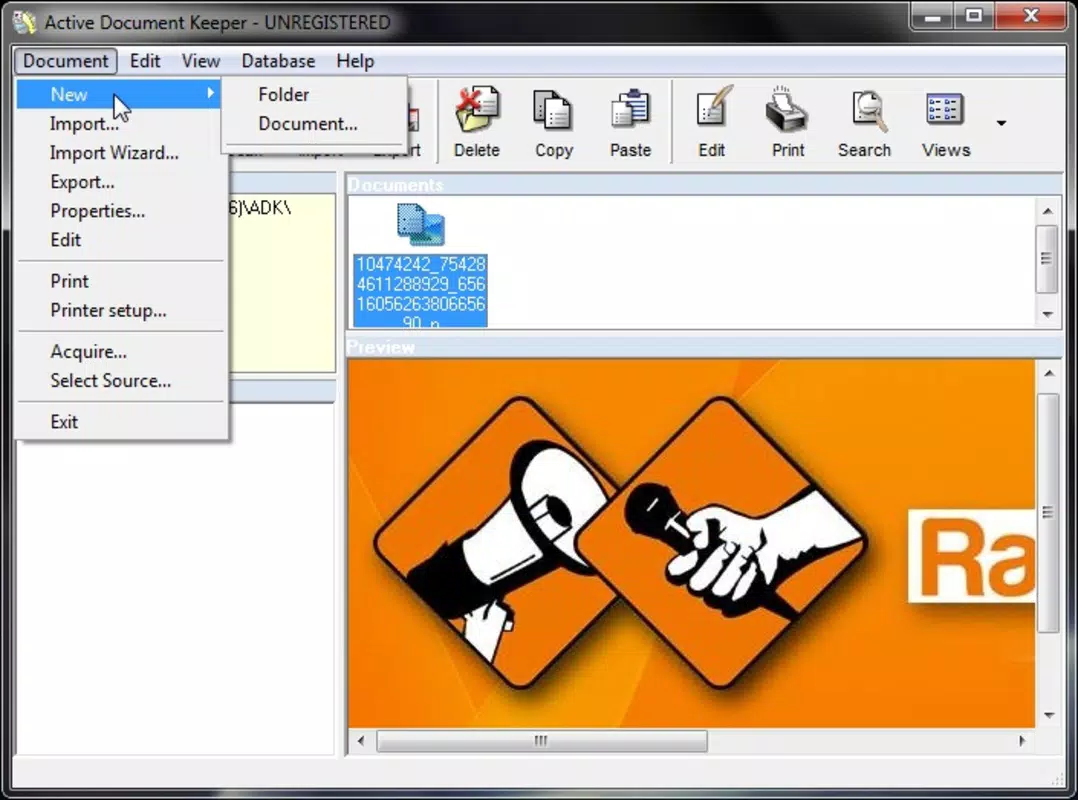
- Document Scanning & Importing: Active Document Keeper allows direct import of physical documents via camera capture or scanned images. This feature supports digitizing paper-based records efficiently, ensuring that hard copies are preserved in a searchable, secure digital format.
- Efficient File Search Functionality: The inclusion of notes and metadata tagging enhances search precision. Users can locate files by content, title, or associated notes, making it easier to retrieve specific documents among large archives—especially useful for Word, Excel, and PDF files.
- Backup & File Compression: Built-in backup creation and file compression capabilities help safeguard data and optimize storage space. These features reduce the risk of data loss and support efficient long-term archiving, particularly beneficial for users with limited disk capacity or strict data retention policies.
For example, a legal professional could use the reference linking feature to associate a contract with both a client folder and a case file, ensuring immediate access from either location. Similarly, a project manager might scan meeting minutes and attach them to multiple project timelines, enhancing coordination across teams.
Interface, UX & Performance
Active Document Keeper features a structured interface designed for efficient document navigation and management. The layout emphasizes clarity, with a hierarchical folder view that supports custom directory chains and multi-reference linking. Navigation is intuitive, allowing users to move between document categories and access metadata with minimal clicks.
The visual style is functional rather than decorative, prioritizing usability over aesthetic flair. This design choice aligns with the application’s purpose as a productivity tool focused on performance and reliability. While the developer did not list formal performance metrics, the application’s lightweight footprint of 28.7 MB suggests it operates efficiently on standard Windows systems.
Although the developer did not specify minimum OS requirements or performance benchmarks, the software’s long-term stability since 2014 indicates consistent responsiveness across various Windows environments. Users can expect stable operation during routine tasks such as importing, searching, and backing up documents. The application maintains a consistent state during file operations, minimizing crashes or freezes. Overall, the user experience reflects a mature product built for reliability and long-term use.
Platform Compatibility & Technical Requirements
Active Document Keeper is designed for the Windows platform and is available in version 2.5.0. The application has a file size of 28.7 MB, indicating a compact installation that requires minimal system resources. This makes it suitable for use on both older and modern Windows machines.
Specific compatibility details, such as supported Windows versions or hardware requirements, were not listed by the developer. The developer did not specify minimum OS requirements or processor specifications. As such, users should verify compatibility with their current system before installation. The lack of detailed technical information suggests that the software may be optimized for general Windows environments, but no formal testing data was provided.
Pros and Cons
Pros
- Centralized document management across multiple storage sources
- Support for multi-reference linking to enhance file accessibility
- Efficient search functionality with notes and metadata tagging
- Integrated backup and file compression for data protection
- Lightweight file size (28.7 MB) for minimal system impact
Cons
- Developer did not provide detailed system or OS compatibility information
- Platform is limited to Windows; no information on mobile or web availability
- Version 2.5.0 was released in 2014, raising questions about recent updates or modern feature integration
- Specific performance benchmarks or user feedback statistics were not disclosed
- No mention of cloud integration or real-time collaboration features
FAQ
Is Active Document Keeper available for mobile devices?
The developer did not specify whether Active Document Keeper is available on Android or iOS platforms.
Can I use Active Document Keeper with cloud storage services?
While the software supports files from various sources, including servers, the developer did not confirm integration with specific cloud platforms like Google Drive or OneDrive.
Does the app support real-time collaboration?
There is no information provided about real-time editing or team collaboration features within the application.
How often should I perform backups?
Backup frequency depends on user needs and data sensitivity. The application includes backup creation tools, but the developer did not recommend a specific schedule.
Is Active Document Keeper secure for sensitive documents?
The software includes backup and compression features, but the developer did not provide details on encryption, access controls, or data security protocols.
Final Thoughts
Active Document Keeper offers a focused, reliable solution for users seeking structured document management on Windows. Its ability to centralize files from diverse sources, support multi-reference linking, and provide built-in backup and compression makes it a valuable tool for professionals handling critical records. While the application’s version and release date suggest it has not undergone recent updates, its enduring presence indicates a stable and functional core system.
Those who prioritize data integrity, long-term archiving, and efficient file retrieval will find the software’s strengths align with their needs. However, users seeking modern features like cloud sync, mobile access, or team collaboration should consider alternative tools.
For individuals and organizations managing documents across multiple locations, Active Document Keeper remains a practical, lightweight utility. Download Active Document Keeper now


